my_files <- list.files(pattern = ".docx", path = "LN", full.names = TRUE, recursive = TRUE, ignore.case = TRUE)Import & Export Lexis Uni data
Export LexisUni data
Even though exporting data from LexisUni is quite straightforward, if we want to export in a format that can be directly read by R and used for textmining, we need to tick the right boxes. We will go through those steps now:
Start with building a query in the advances query section. Make sure you check the AND and OR operators. 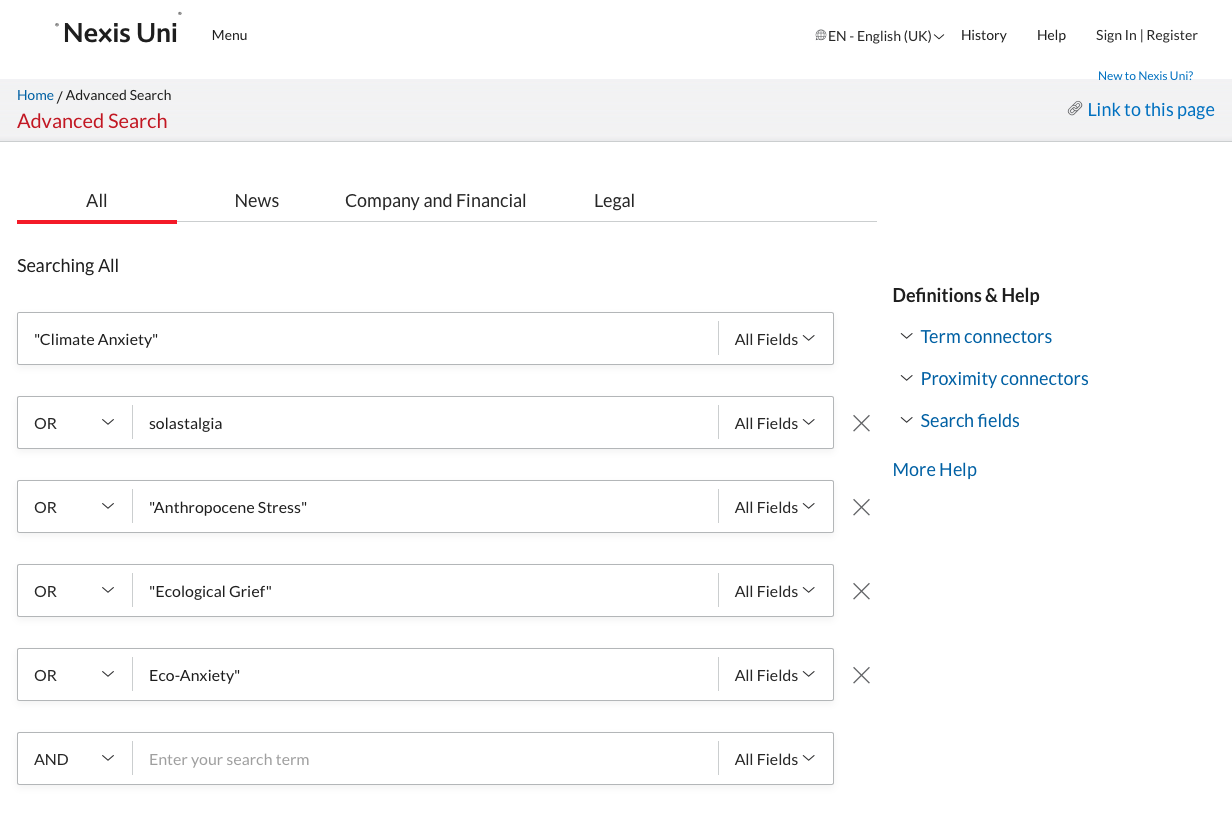
Below the text elements you can adapt the data range if required.
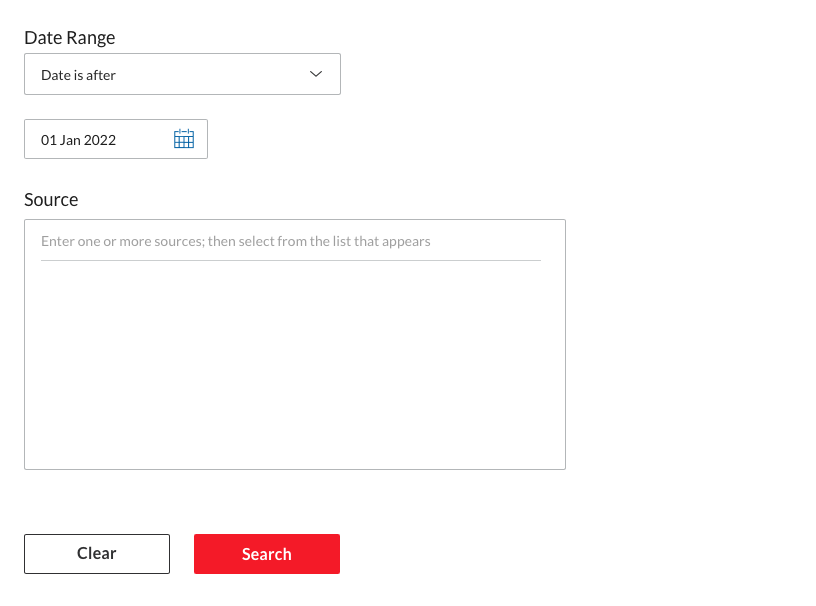
Then click on search to launch the search process. Once the results are shown, make sure to click the switch to remove Group Duplicates (this should be on “On”). At this point adjust any other filter. Be particulary cautious with the language. Many language models are trained for one language so remove any document not in that language if you use a mono-lingual model.
 Once you’re happy with the dataset, go to the “download button”:
  A window will appear, this is were you need to be sure to click the same boxes as in the following screenshots. Ensure that the format is Word (docx) and that the documents are grouped into one.
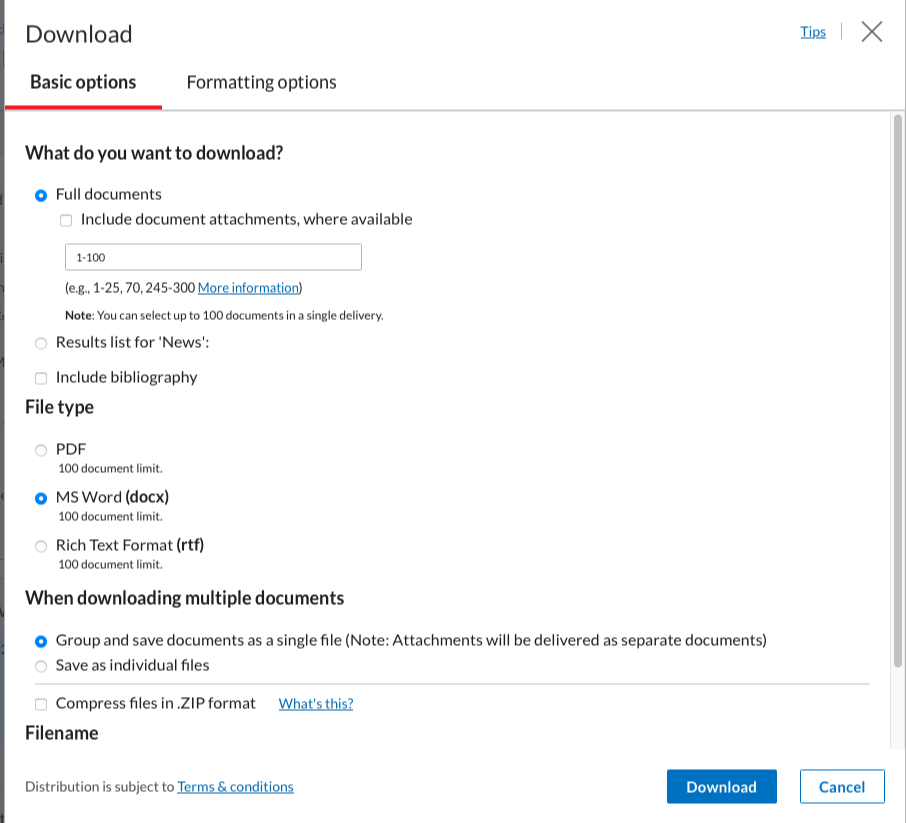
The second screen should look like this: (these should be the basic options):
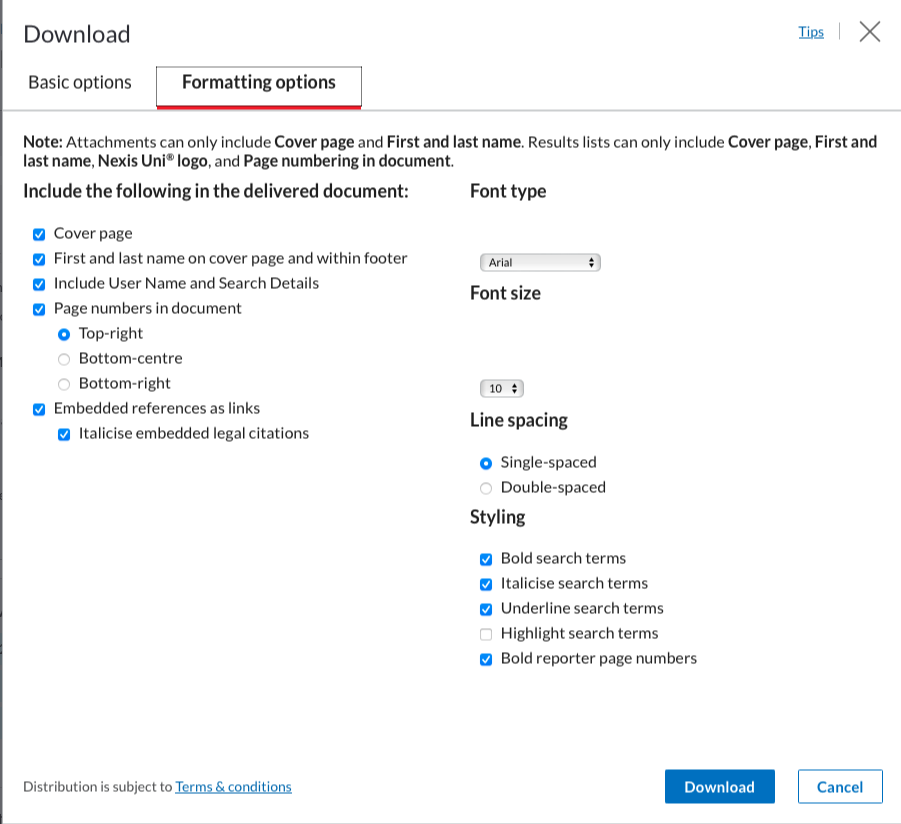
You can then click on “download”.
Do this as many times are required to download all the articles (100 per 100). Creating an account with your uu email will make this process slightly more streamlined and faster.
Put all the files into one folder. We will then use the LexisNexisTools package to import and format this data to make it directly usable.
Importing Lexis Uni Data
First we need to search for all the documents, using the list.files() function we create a list of all the .docx documents in the “LN” folder. Note that the LN folder is created by me to store the files, replace LN with the name of the folder in which you store the files. If the files are stored directly at the root of the current WD, use ““.
At this stage the data is not yet imported, we merely created a list with paths to the files. We will now load those files into R with the lnt_read() function. This will load the data into a specific object with a specific format that we cannot use directly. We therefore transform this object with the lnt_convent() function. We specify “to =”data.frame” so that the result is a dataframe that we can use.
library(LexisNexisTools)
dat <- lnt_read(my_files) #Object of class 'LNT output'
LN_dataframe = lnt_convert(dat, to = "data.frame")
We now have the data loaded in R and ready for use. We will perform two extra actions before we continue to ensure that we don’t run into trouble later on. We start with the removal of identical articles (even though the switch is on, there are still some left…) and we remove the articles that are too short for the analysis. We use the nchar() function to count the number of characters in each article and remove those with less than 200 characters.
LN_dataframe = unique(LN_dataframe)
LN_dataframe$length = nchar(LN_dataframe$Article)
LN_dataframe = subset(LN_dataframe, LN_dataframe$length >= 200)
The dataset is now ready for use.