topics, probs = topic_model.fit_transform(data)Run Bertopic
Run a classic BERTopic Model:
Visualisation
Create a plot with the documents projected in a two dimensional space:
topic_model.visualize_documents(data)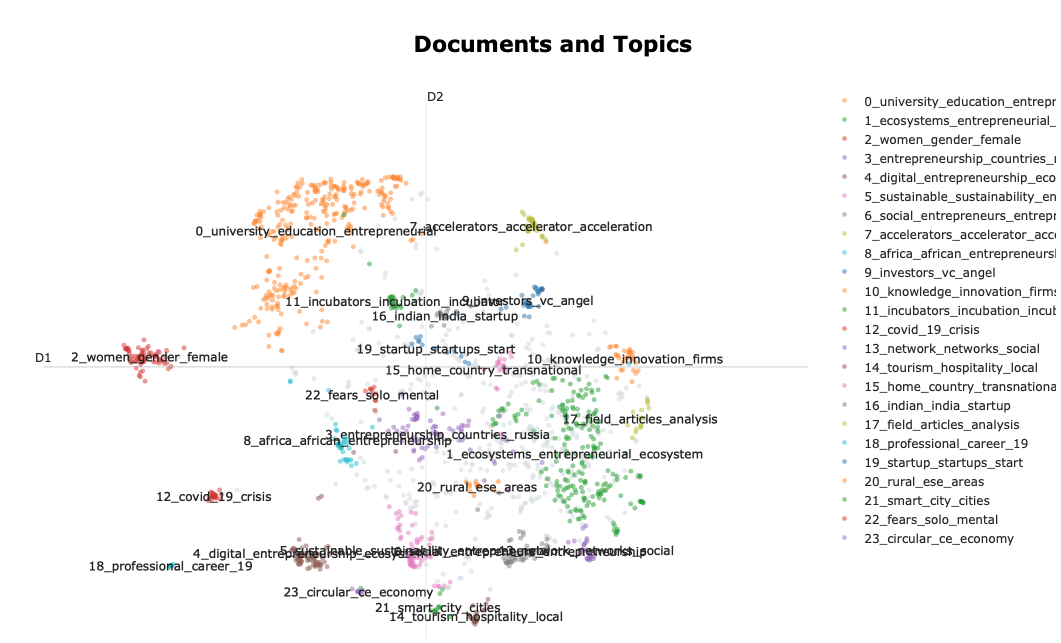
In this space, each dot is a document. The color of the document represents its cluster/topic. The distance between the documents should be interpreted in terms of a semantic proximity between the documents.
Beyond this visualisation we usually want to know which words constitute these topics. We can do this by creating a barplot of the words:
topic_model.visualize_barchart(top_n_topics = 10, n_words = 5)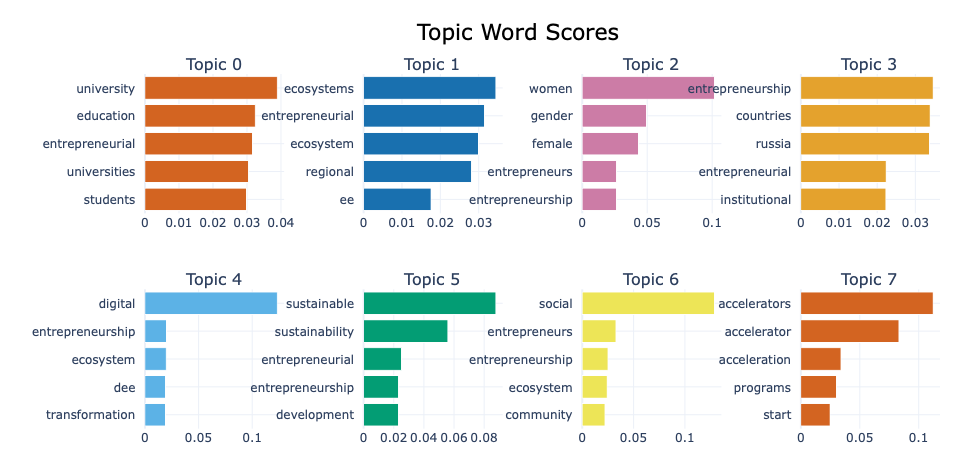
The numbers under the terms, represent the contribution of the term to the topic (c-TF-IDF)
We can run the model again with bi-grams for example:
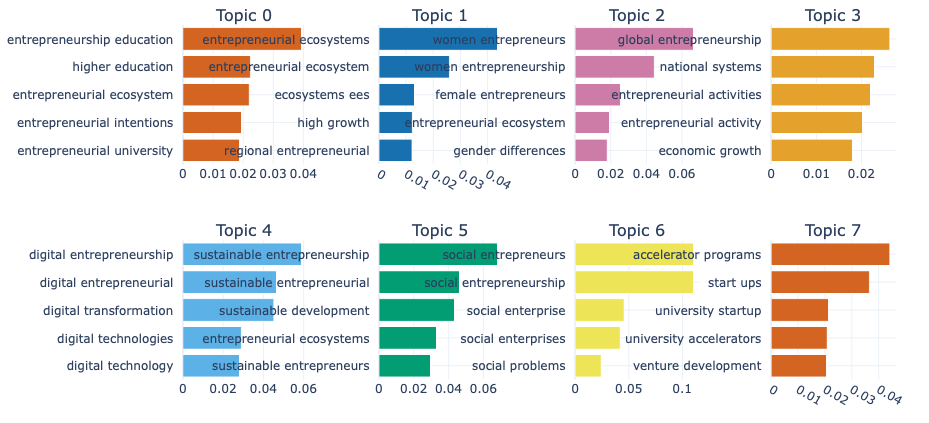
We can export the information per topic using the following function:
topic_info = topic_model.get_topic_info()
topic_info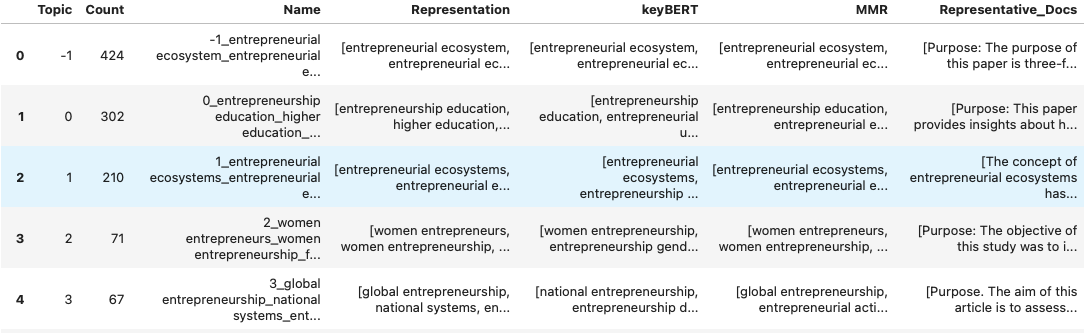
Bertopic creates a -1 topic that will contain terms considered very generic. Using the probabilities option in the mode we can assign topic to the publications classified in topic -1.
Based on the results of these topics we can go back to the parameters and adjust the model to improve the output. Once we are happy with the results, we can export the topics and connect them with other variables. Bertopic exports the results in the same order as the input data, topics can therefore be combined directly with the intial dataframe that we have been working with.
Topics over time
We can check the evolution of topics over time by adding information on the year of publication of the documents. For this we first need a dataframe with the years:
timestamps = data_full['Year']
timestamps
We then run a topic model, supplying this time information:
topics_dynamic = topic_model.topics_over_time(data, timestamps, nr_bins = 10)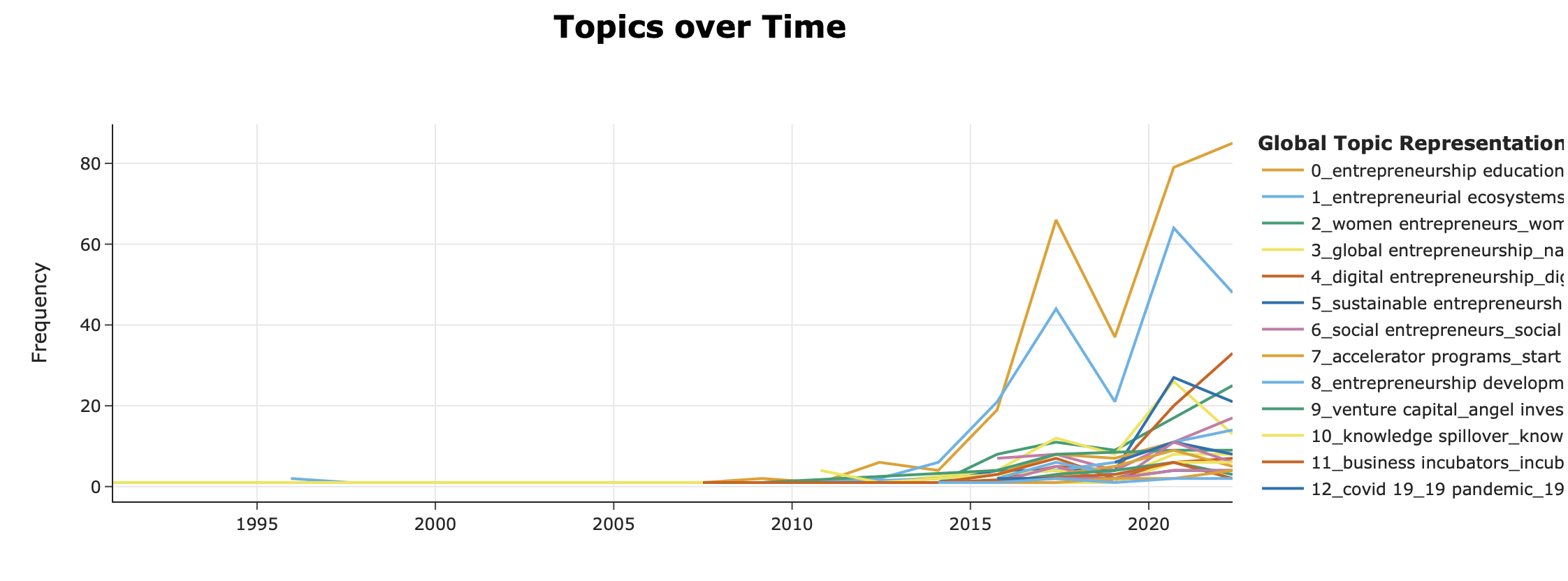
Proba per document
Just as for an LDA, we can get the probability for each to document to be linked to a topic.
Topic_distribution = pd.DataFrame(probs, columns = [f"Topic_{i}]" for i in range(probs.shape[1])])
Topic_distribution["Document"] = data
print(Topic_distribution)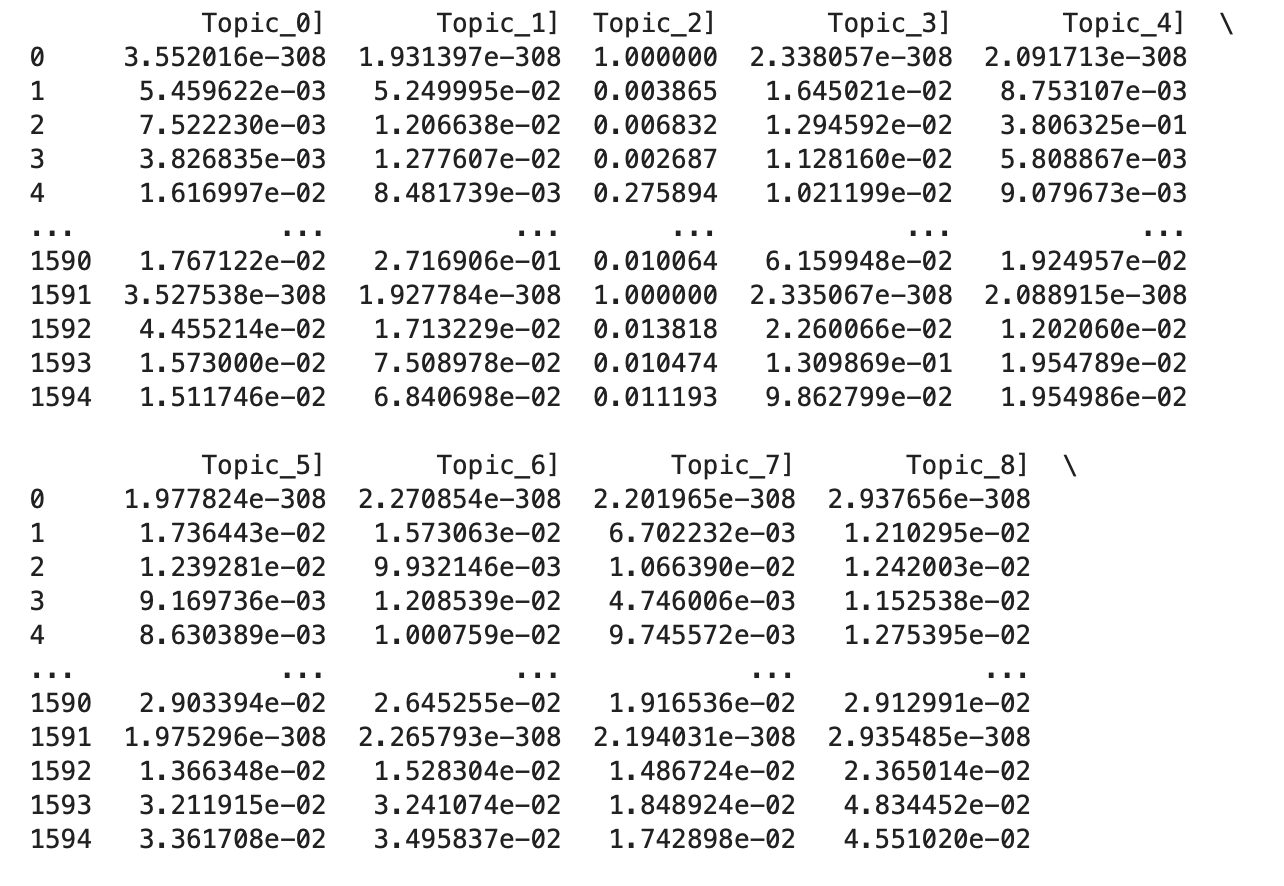
Hierchical Topic Models
BERTopic allows for a specific type of topic model which takes a hierachy of topics into account. This allows us to visually check what level of aggregation suits us best.
my_hier_topic_model = topic_model.hierarchical_topics(data)
my_hier_topic_model.visualize_hierarchical_documents(data, my_hier_topic_model)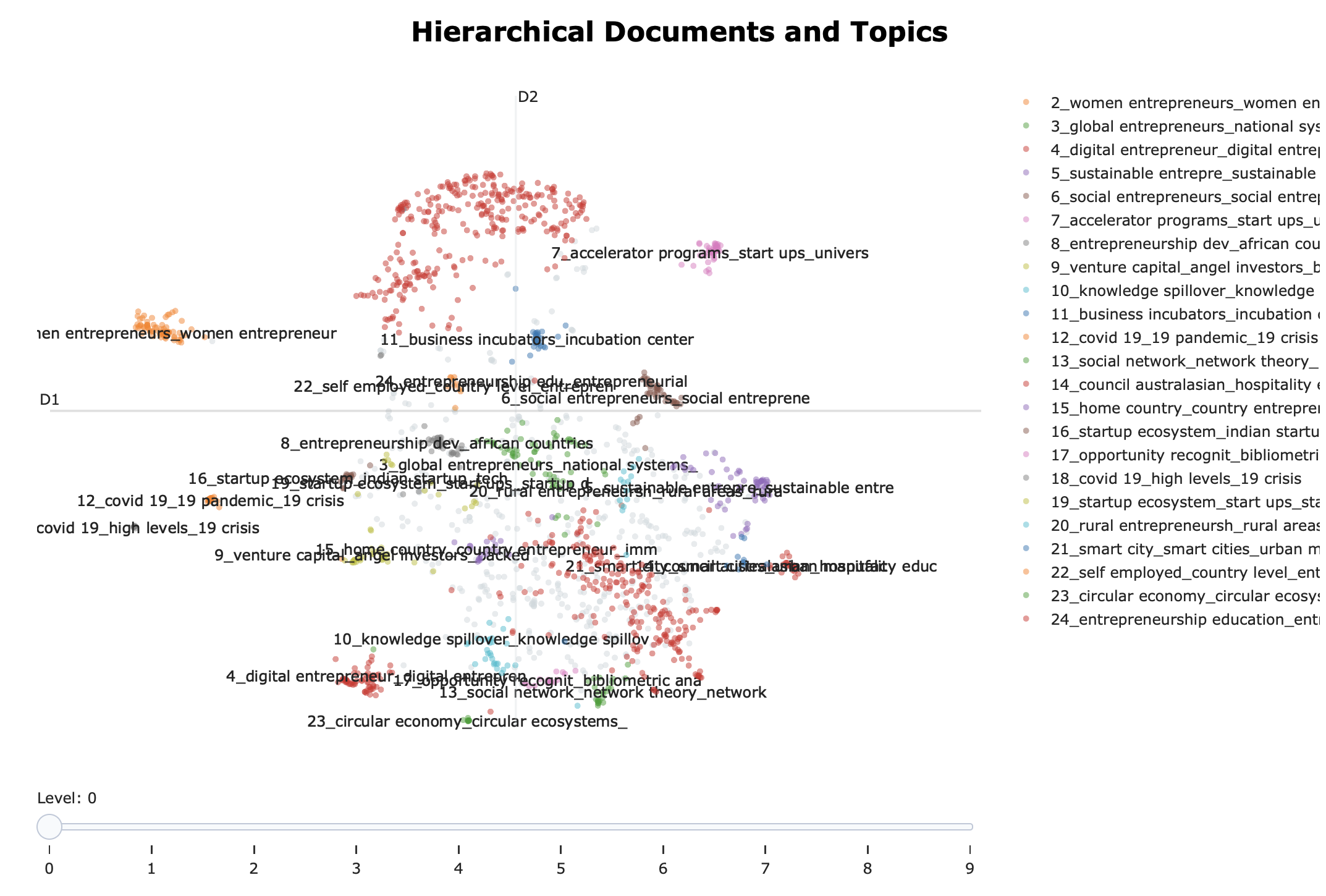
Dendrogram of the topics
topic_model.visualize_hierarchy(hierarchical_topics=hierarchical_topics)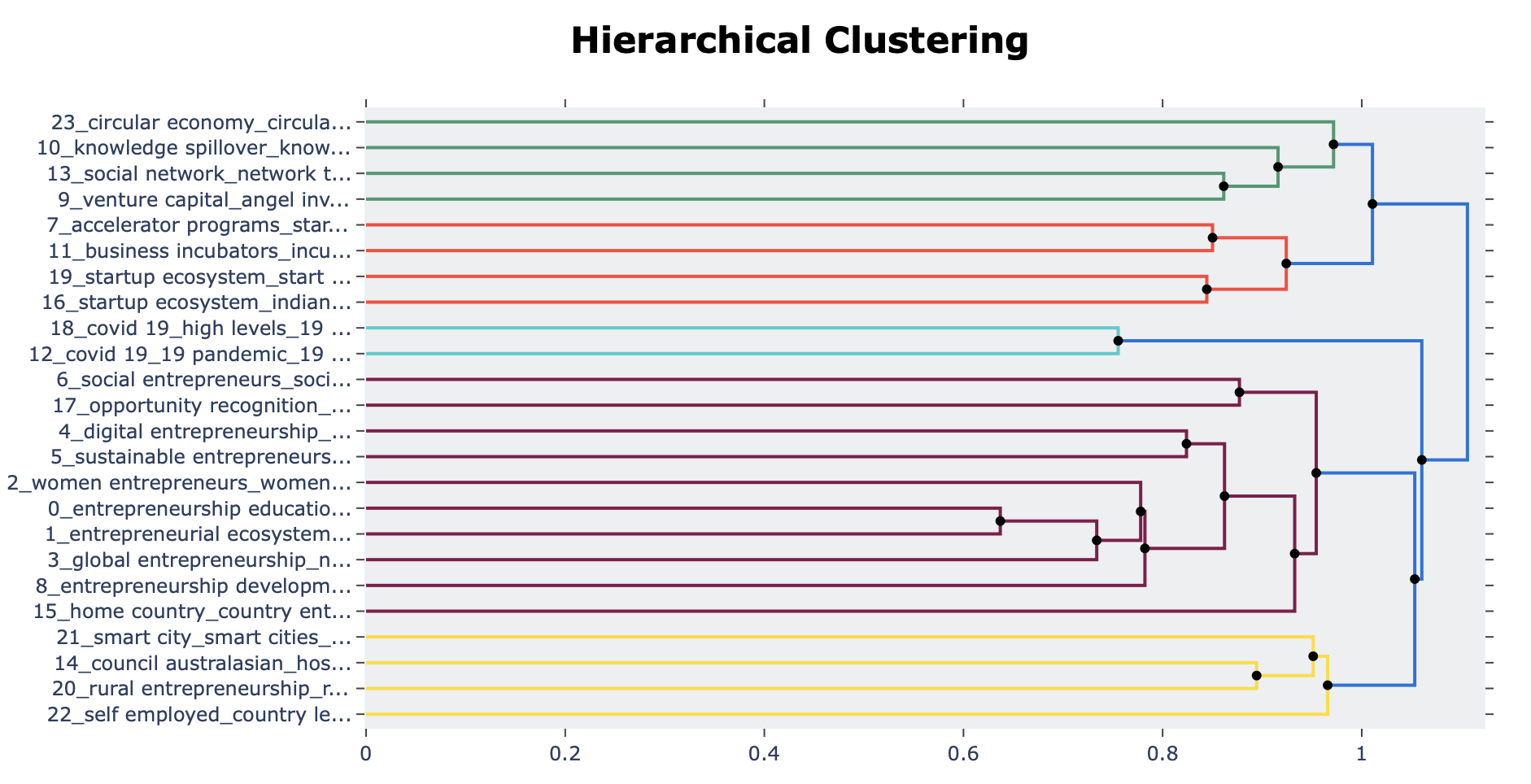
Additional data prep (lemmatization)
We need some additional help from other packages to use lemmatization:
import nltk
from nltk.stem import WordNetLemmatizer
from nltk.corpus import wordnet

# Download required resources
nltk.download('wordnet')
nltk.download('averaged_perceptron_tagger')
nltk.download('punkt')
Then we need a function to assign the part-of-speech tags to the text
# Function to map NLTK position tags to WordNet position tags
def get_wordnet_pos(word):
    tag = nltk.pos_tag([word])[0][1][0].upper()
    tag_dict = {
        "J": wordnet.ADJ,
        "N": wordnet.NOUN,
        "V": wordnet.VERB,
        "R": wordnet.ADV
    }
    return tag_dict.get(tag, wordnet.NOUN)
lemmatizer = WordNetLemmatizer()
And we need a function that goes over the words to lemmatize them.
def tokenize_text_bert(tmp):
    # Tokenize the text into sentences
    sentences = nltk.sent_tokenize(tmp)

    # Lemmatize each word in each sentence with its correct pos tag
    lemmatized_sentences = []
    for sentence in sentences:
        words = nltk.word_tokenize(sentence)
        lemmatized_words = [lemmatizer.lemmatize(w, get_wordnet_pos(w)) for w in words]
        lemmatized_sentence = ' '.join(lemmatized_words)
        lemmatized_sentences.append(lemmatized_sentence)
    # Join the lemmatized sentences
    reconstructed_text = ' '.join(lemmatized_sentences)
    return reconstructed_text
W now apply the function to the text, we can then us this data as an input for the embeddings.
data = list(map(tokenize_text_bert, data['Abstract']))