Installing all the software
1. Let’s install R
For this course we use a combination of R and Rstudio. If we think of this as a car, then R is the engine, and rstudio is the carrosserie that makes many things easier and more comfortable. For Rstudio to work, we first need to install R.
1.1 Go to https://mirrors.evoluso.com/CRAN/
For mac users: 
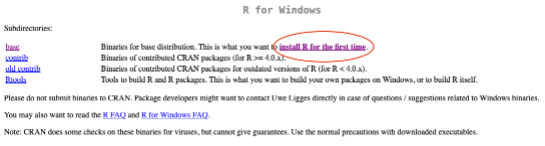
For windows users, first click on “install R for the first time”
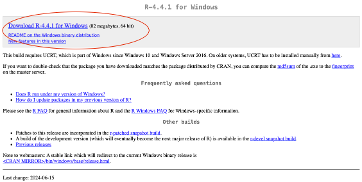
Then download the latest version:
1.2 Go to https://posit.co/download/rstudio-desktop/
Here you can download R studio. The download button should adapt directly to your operating system

Run the installers and you should be good to go. You only need to launch Rstudio. You never need to launch R.
1.3 Some basics on Rstudio:
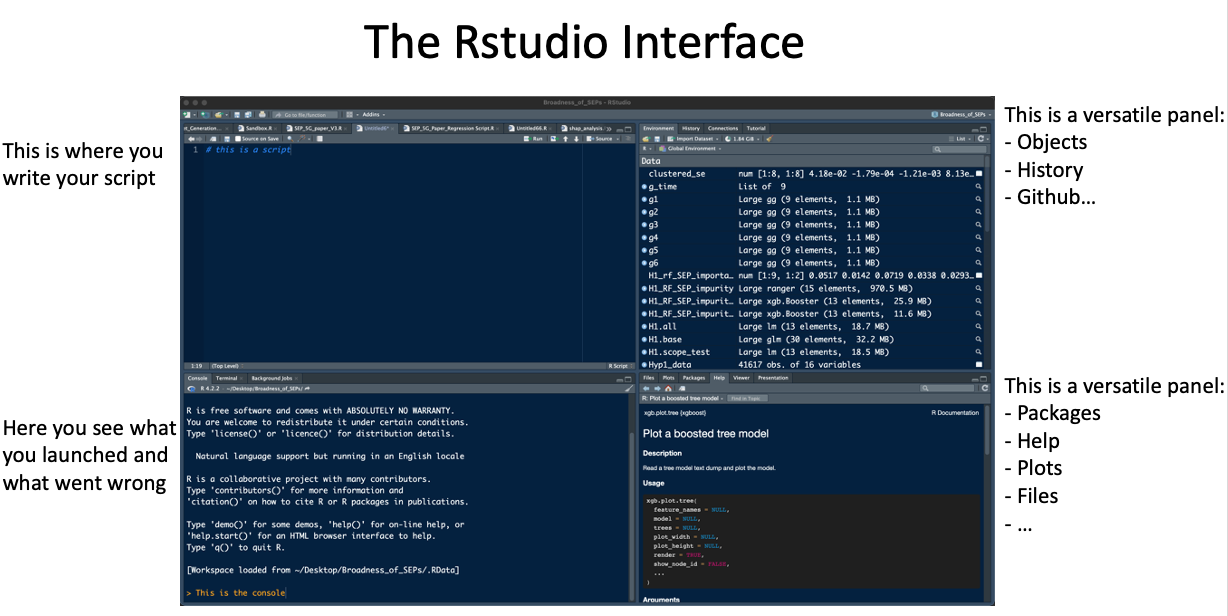
The interface has 4 panels, each with a purpose:
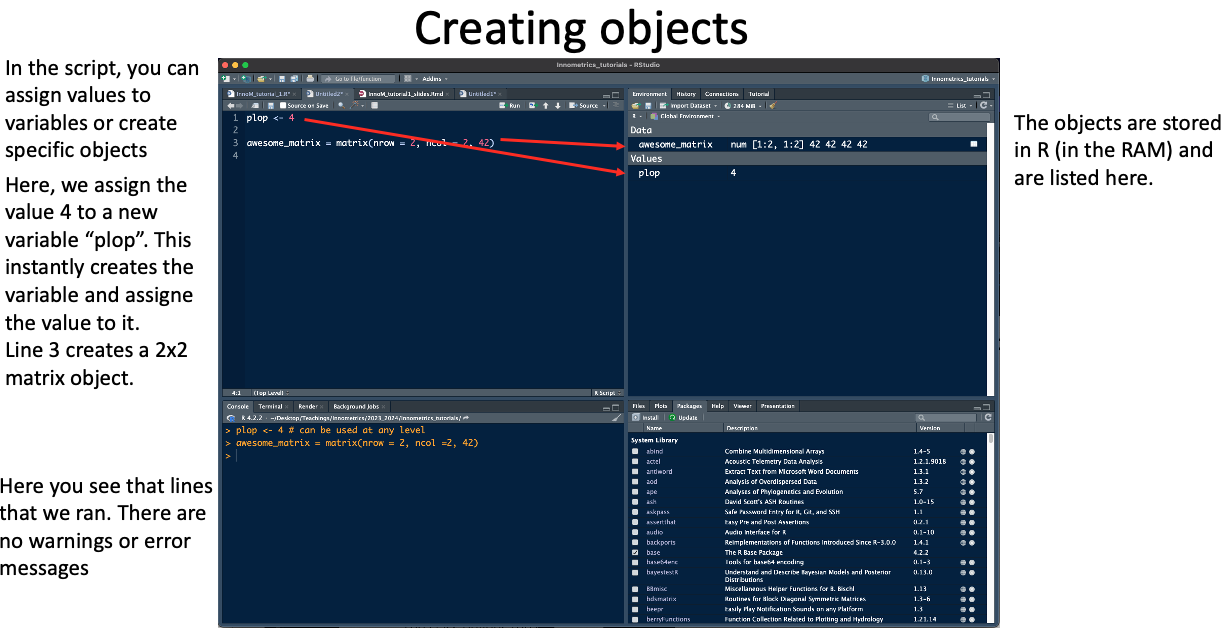
Once we start programming, we create variables and objects that are stored in the memory of the computer. The objects can be accessed in the upper right panel.
When working on a project, we like to keep everything in the same place, your data, your scripts, R. This can be done with an Rproj file:
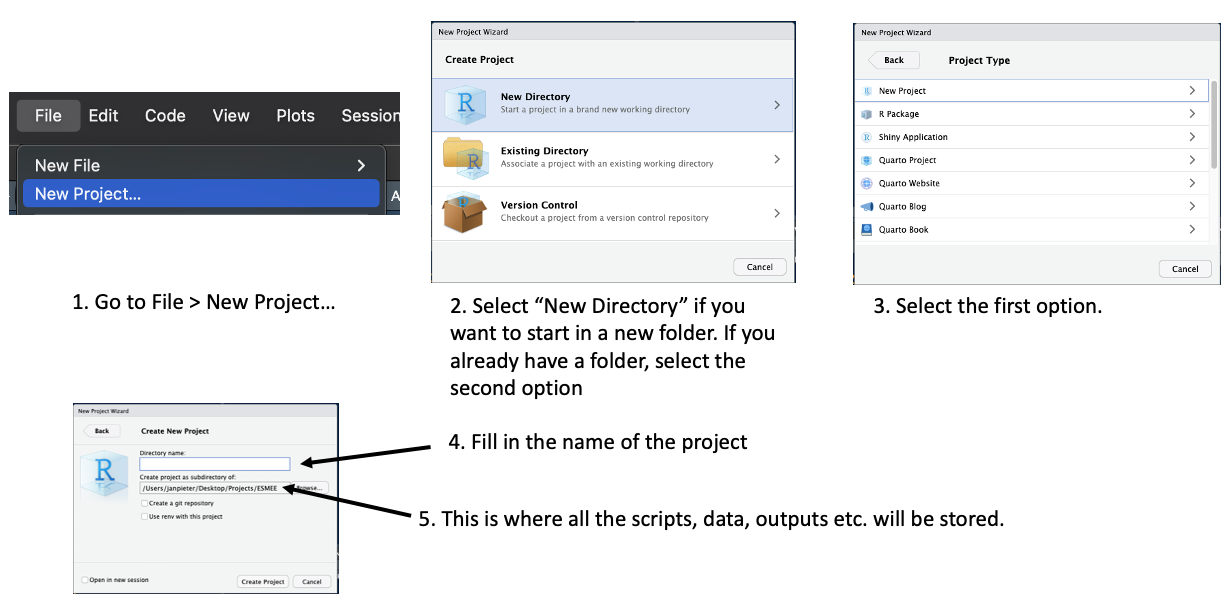 This is how you create an rproj. Once you have created this, everytime you quit en relaunch R, all your data and scripts will be loaded.
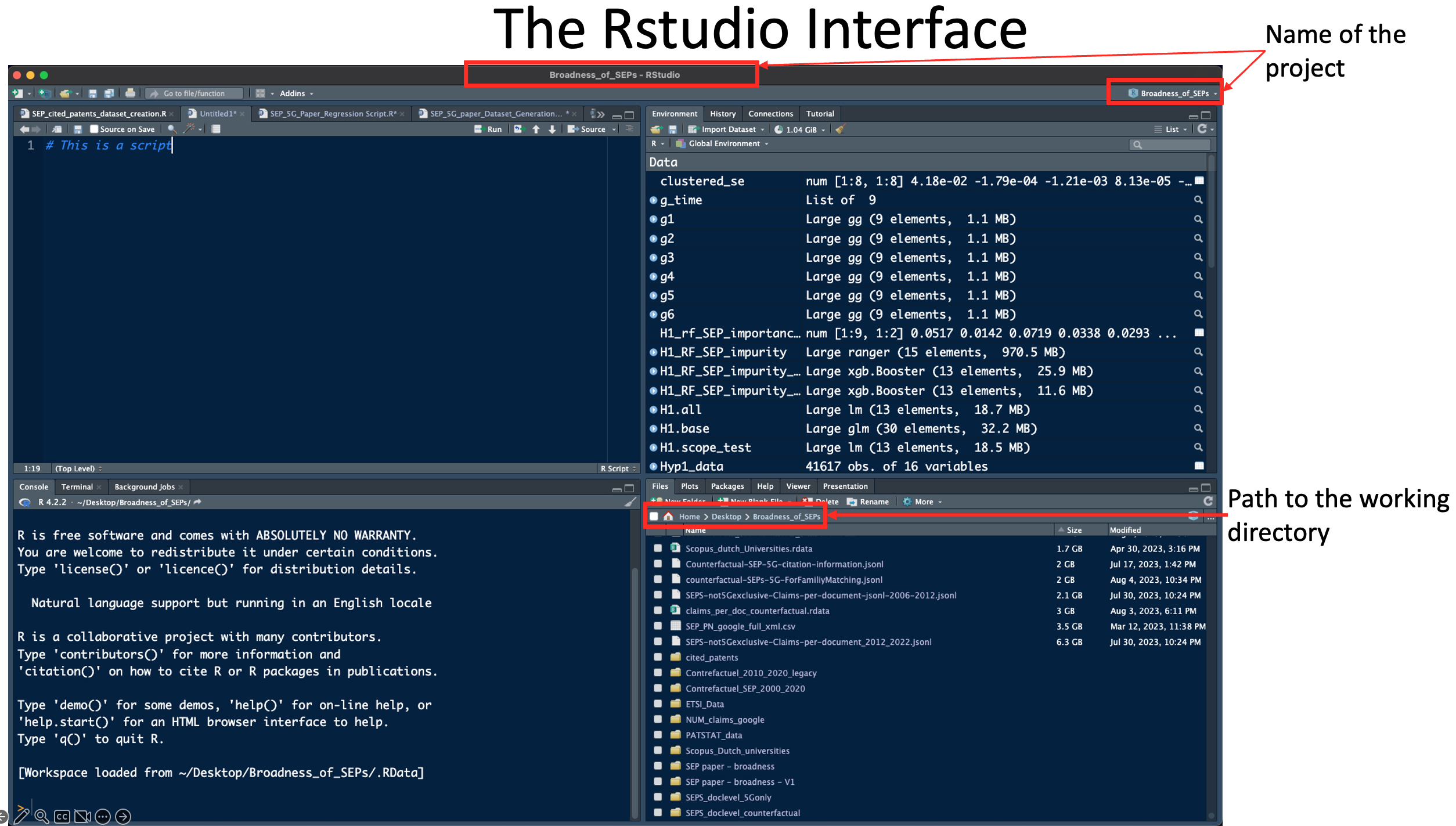
We should now be good to go!